Kudos Now Recognizes Whole Teams
30. Sep 2026 | openSUSE Kudos Team | CC-BY-SA-3.0

The openSUSE Kudos recognition platform has a new feature: teams. You can now thank a whole team at once, see who is part of which team, and join or start a team yourself.

Why teams
Peer-to-peer recognition is at the heart of Kudos, and it works well when the work was done by one person. A lot of what happens in openSUSE is not like that, though. A release, an installer, a conference booth or a wiki cleanup is usually the effort of an entire group.
One piece of feedback kept coming back: when someone wanted to thank a team, the kudos landed on the one or two people they happened to know by name. The rest of the people who did the work got nothing, simply because the person saying thanks could not name them.
Some contributors are also simply less visible than others. They do not post much, they do not show up in every chat, and their work happens quietly in the background. That does not mean they do less. Recognizing the team as a whole makes sure that thanks reaches them too.
What you can do
- Thank a team, or a team and individuals together. When giving kudos, teams show up in the recipient picker next to people. You can thank a team on its own, or combine it with individual contributors in the same kudo. That comes in handy because teams rarely work alone: a release team may get help from translators, testers or packagers outside the team, and now one thank-you can include all of them. Team members can thank their own team as well.
- See who is in which team. Every team has its own page with its roster, and every profile now shows the teams that person belongs to. Former members stay listed as alumni, so past contributions are not forgotten.
- Join or start a team. Click the Join Team button in the header, search for your team, and ask to join. If your team is not there yet, create it right from the same box. No admin approval is needed to start a team; only linking it to a badge goes through an admin (more on that below).
- Invite people. Team members can invite other Kudos users by their username. The invitation arrives by email and in the app, and the person joins once they accept.
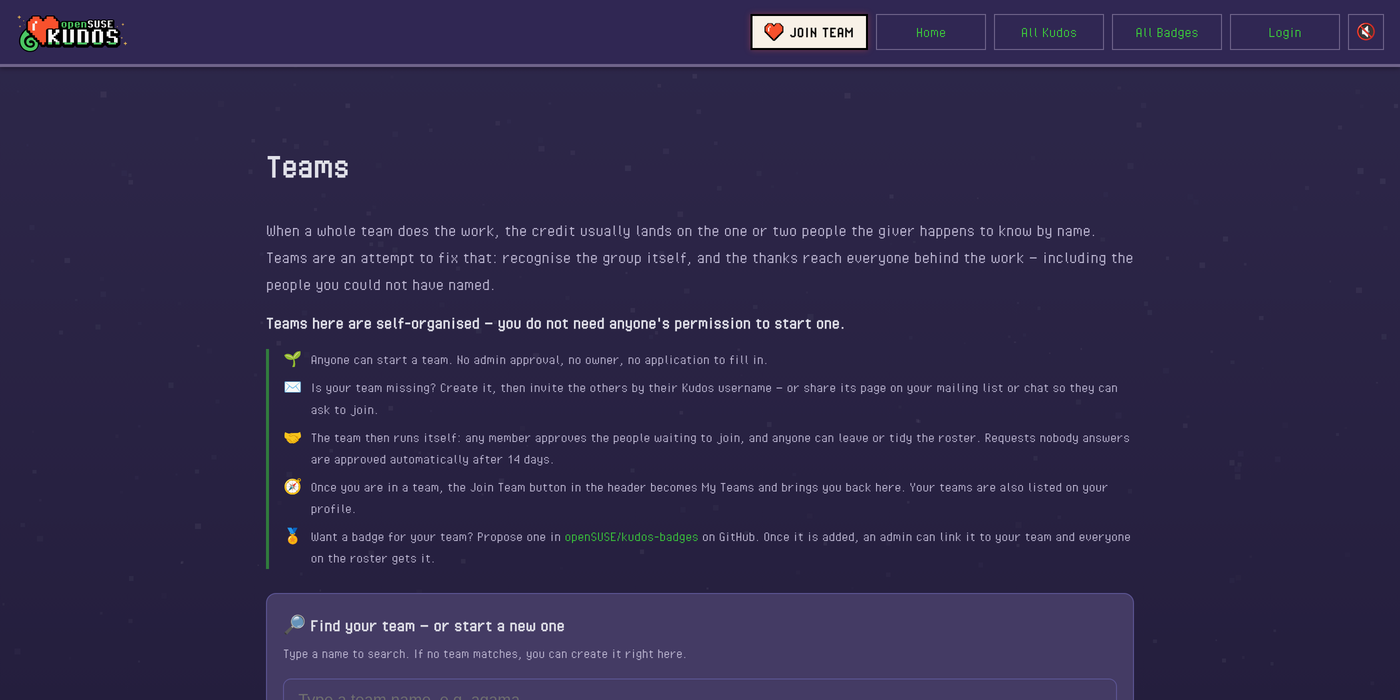
Once you are in a team, the button in the header turns into My Teams, and it lets you know when an invitation or a join request is waiting for you.
Self-managed teams
Teams run themselves. There is no owner and no manager role. Any member can approve people who asked to join, invite others, or tidy up the roster, and anyone can leave at any time. Requests that nobody answers are approved automatically after 14 days, so nobody gets stuck waiting.
Teams can also be linked with a badge. This is the one step that needs an admin, and for a good reason: a linked badge adds every holder of that badge to the team. If anyone could link any badge, a brand-new team could claim the Tumbleweed contributor badge and instantly “have” hundreds of members who never asked to join. So an admin checks that the badge really belongs to the team before linking it.
Once an admin links a badge to a team, everyone on the roster gets it, and anyone who later earns the badge through other means is added to the team automatically. Until now, team badges were handed out by hand, one person at a time. Now the team keeps its own roster, and the badge follows.
Every team page has a badge slot, and for most teams it still reads “Badge: TBD”. Badges live in openSUSE/kudos-badges on GitHub, where new ideas and artwork arrive as ordinary pull requests, so a team that wants to fill its slot is only a pull request away. Designing the badge together can be a fun first thing for a new team to do.
Badges are never taken away when someone leaves a team. A badge records what you did; the team roster shows who is there now.
Get started
Log in to kudos.opensuse.org, click Join Team, and find your team or start a new one. Then invite the people you work with, and the next time your team ships something great, thank all of them at once.
Feedback is welcome, as always. Kudos is developed in the open at github.com/openSUSE/kudos.